

Accred Connect
Private previewEnroll Windows devices by client and location and see their online status and inventory.
What works today
Connect is in a private preview and not sold yet. The Windows installer is not yet code-signed, so Windows shows an unknown-publisher warning. Online status and inventory come from signed device check-ins. Remote screen, files, and PowerShell are coming soon and not available today.
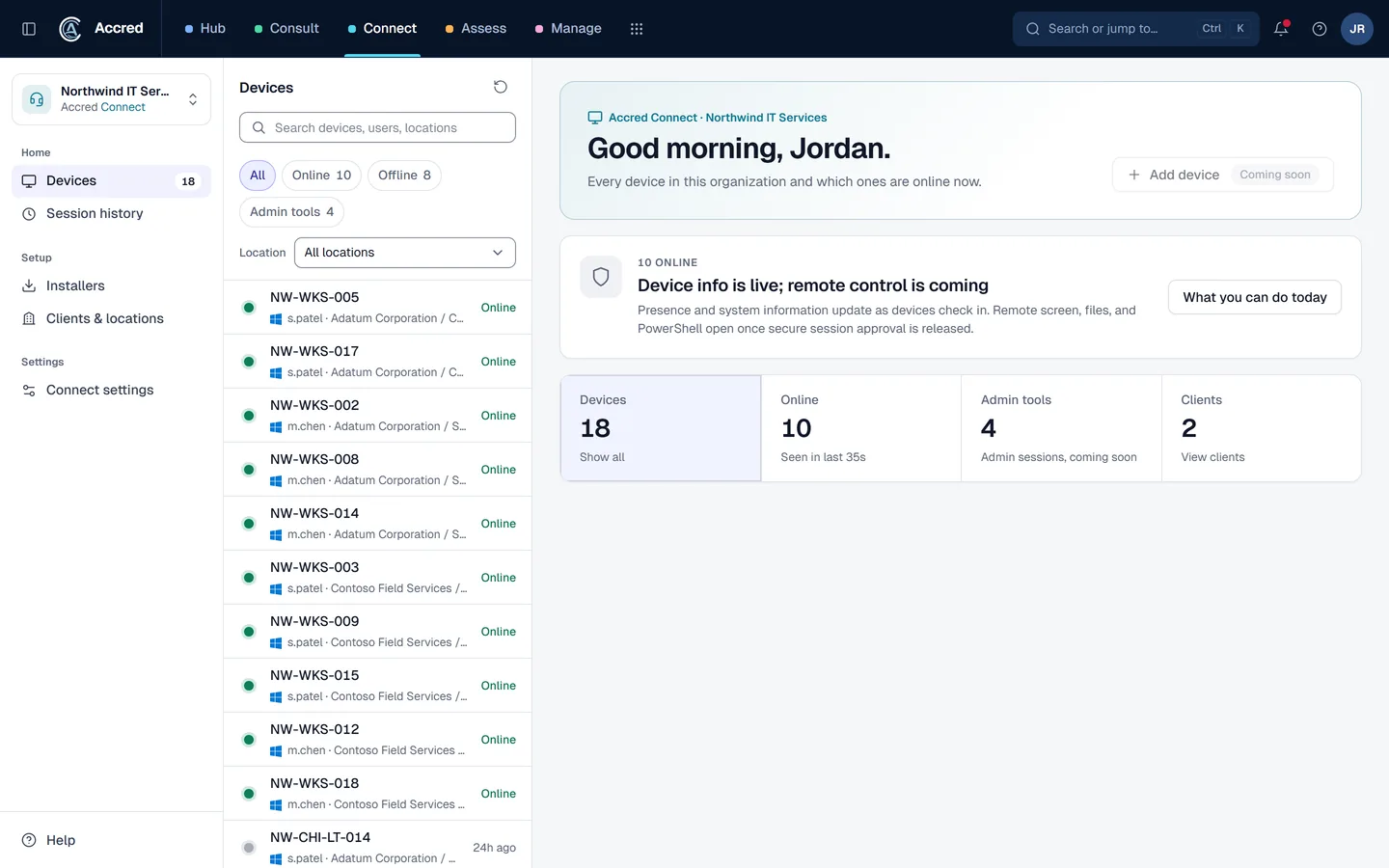
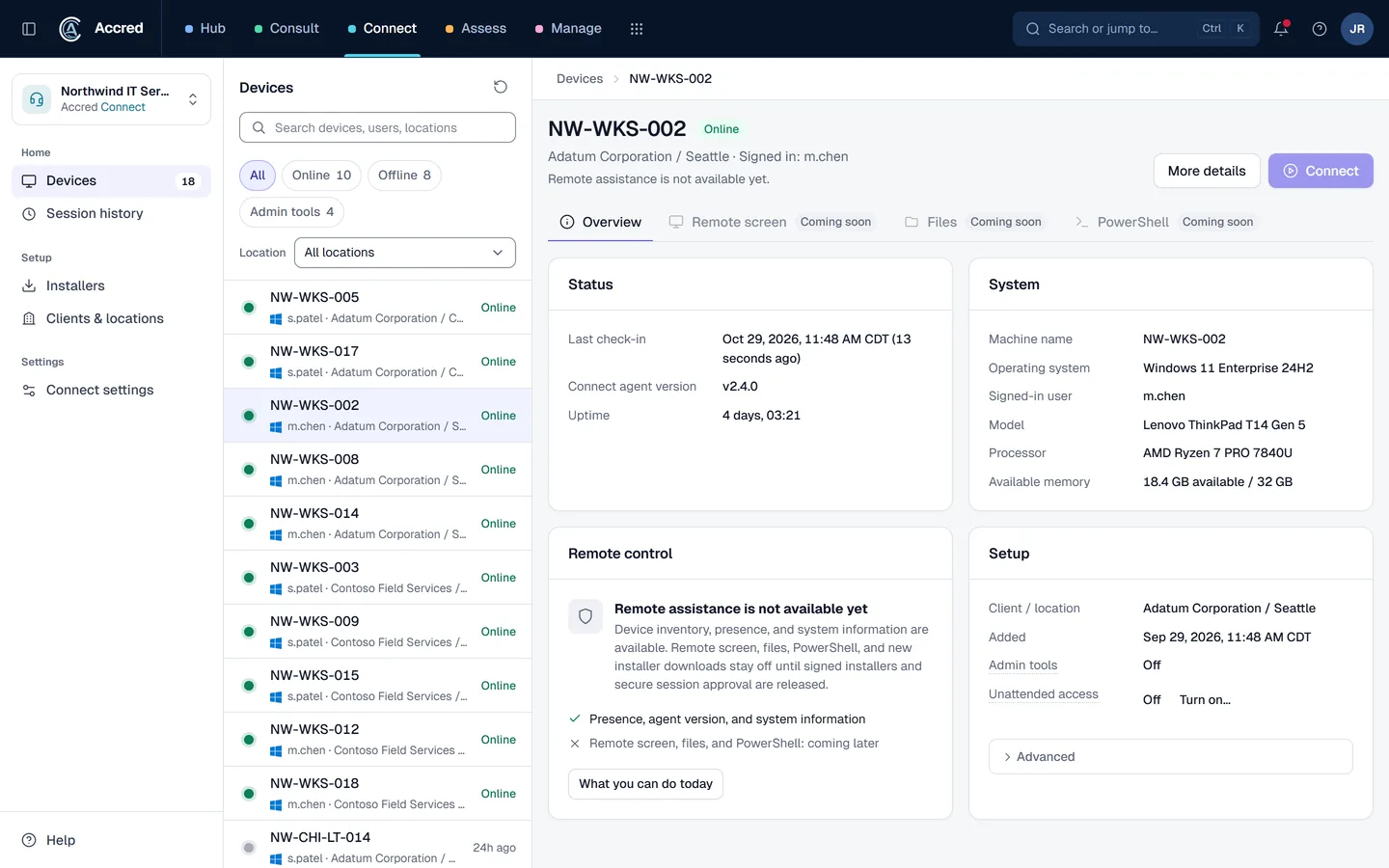
What Connect does today.
- Enrollment installers
- Create installers that enroll computers into one client and location, and revoke them when they should stop working. Preview installers are not yet code-signed.
- Device inventory and presence
- See online and offline status from signed device check-ins, last check-in, agent version, operating system, and signed-in user for each device.
- Clients and locations
- Organize devices by client and location, and open any client or location to see its devices.
- Remote tools coming soon
- Remote screen, files, and PowerShell are marked coming soon in the console and are not available today.
Questions about Connect
What is Accred Connect?
Connect gives support teams one place to enroll Windows devices into the right client and location, then see which machines are online, when each last checked in, and what it runs. It is free while in private preview, and remote screen, files, and PowerShell are coming soon.
Who is Accred Connect for?
IT support teams, Managed service providers, Security evaluators. Choose Connect when you want to try client-scoped device enrollment, status, and inventory in preview, not run production remote support today.
What is the current availability of Accred Connect?
Connect is in a private preview and not sold yet. The Windows installer is not yet code-signed, so Windows shows an unknown-publisher warning. Online status and inventory come from signed device check-ins. Remote screen, files, and PowerShell are coming soon and not available today.
How much does Accred Connect cost?
Free while Connect is in private preview, with no seats. An Owner or Admin turns it on in Hub, and every member can open it, with access that follows their Hub role.
How do I get started with Accred Connect?
Create your organization in Hub, or sign in. An Owner or Admin turns Connect on for free, with no seats, and every member can open it. It is a private preview: the installer is not yet code-signed and remote tools are coming soon.
How does Connect fit with the other Accred apps?
Connect owns device enrollment, inventory, and future remote-support infrastructure. Consult owns the live support queue, client portal, communication records, and time capture.
Further reading
Every guide- ScreenConnect, TeamViewer, and Accred Connect comparedScreenConnect and TeamViewer are remote support tools; Accred Connect is a free preview for device enrollment and inventory, with remote sessions coming soon.
- What is configuration drift in Microsoft 365?Configuration drift is when a Microsoft 365 tenant’s settings move away from the baseline you intended. Common causes, examples, and how to detect it.
- Microsoft 365 software for MSPsWhich MSP jobs Accred covers today, from client delivery and migrations to tenant administration, backup, and licensing, and what is not there yet.
- Microsoft 365 software for internal IT teamsHow an in-house IT team can use Accred to administer its own Microsoft 365 tenant, check Copilot readiness, enroll devices, and plan a tenant migration.
- Accred documentationQuick starts for Hub and all ten Accred apps: create your organization, then set up each app. Plus roles, seats, access, and help.